A tight budget doesn’t have to mean a poor gaming experience. It does mean every pound needs a job. Spend it on the wrong part and you’ll have a system that looks fine on paper but stutters in the games you actually play.
This guide shows how to build a smart shortlist for a budget gaming PC. It covers where the money matters most, what you can safely compromise on, and how to avoid the traps that catch first-time buyers.
Decide What “Budget” Means for You First
Before comparing anything, set a firm ceiling and decide what you need the machine to do. A PC for casual online games has very different demands from one meant for the latest releases at high settings.
Ask yourself three things:
- Which games do I play, and how demanding are they?
- What resolution is my screen?
- Do I already own a monitor, keyboard and mouse?
That last question is the one many buyers overlook. A PC that looks cheap but needs a monitor and peripherals on top isn’t cheap at all.
Where Your Money Should Go
Not every part deserves equal funding. On a limited budget, this is a sensible order of priority.
Graphics card first
For most games, the graphics card has the biggest influence on frame rates and visual quality. Put the largest share of your budget here. You can compare options in our graphics cards range to see how different models are positioned.
A balanced processor
You don’t need a top-tier CPU, but a very weak one can hold back a good graphics card. Aim for balance rather than extremes.
16GB of memory and an SSD
For modern gaming, 16GB of RAM is a common starting point, and an SSD makes loading and everyday use feel much quicker than a traditional hard drive. If you need to see what’s available, browse RAM options before deciding.
Where You Can Safely Save
- The case. A plain, well-ventilated case does the same job as an expensive one.
- RGB lighting. It looks great but adds nothing to performance.
- Oversized storage. Start with what you need. You can add a second drive later.
- Top-end resolution. If you play at 1080p, there’s little point paying for power aimed at 4K.
Aim for 1080p and Spend Smartly
Resolution is one of the most powerful budget levers. The higher the resolution, the harder the graphics card has to work. Choosing a 1080p gaming PC rather than stretching to higher resolutions lets your money go further on frame rate, which usually matters more to how a game feels.
How to Judge the Best Budget Gaming PC UK Buyers Should Compare
“Best” depends on your needs, but you can still compare fairly. Rather than chasing a single winner, use a checklist:
- Clear specifications. The listing should name the processor, graphics card, memory and storage. Vague descriptions are a warning sign.
- Warranty and support. Read the terms. Veno Scorp’s warranty information shows the kind of detail you should look for from any seller.
- Upgrade potential. Can you add RAM, storage or a better graphics card later?
- Delivery and returns. Check dispatch times, and look at options like next day gaming PCs if speed matters.
- Total cost. Add up everything you’ll still need to buy.
If you want to filter by price, the gaming PCs under £499 and £500 to £999 pages let you browse by spend, and the budget gaming PCs collection is a good starting point for the full range.
Is a Gaming PC Bundle the Cheaper Route?
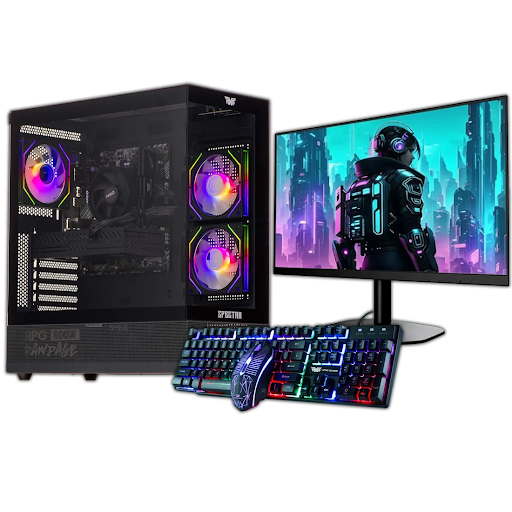
Often it’s the more convenient route, and it can be the more cost-effective one if you’re starting from scratch. A gaming PC bundle typically combines the tower with a monitor, keyboard and mouse, so you can plug in and play without hunting for compatible extras.
To check whether a bundle really saves money:
- List the price of the PC alone.
- Add the realistic cost of a monitor, keyboard and mouse bought separately.
- Compare that total with the bundle price.
If you already own good peripherals, a standalone PC will probably make more sense. If you don’t, a bundle removes a lot of guesswork. You can also look at individual monitors and gaming keyboards and mice to see what a separate setup would cost.
Refurbished, Second-Hand or New?
New systems usually come with clearer warranty cover and no wear. Refurbished options can lower the entry price, but they need closer checking. Look for a stated warranty, a clear description of what was tested and a reputable seller. You can see what’s offered in refurbished gaming PCs.
Be extra careful with second-hand private sales, particularly graphics cards, where condition and history can be hard to verify. If you can’t confirm what you’re buying, it’s rarely worth the savings.
Mistakes That Waste a Small Budget
- Buying on headline numbers. A big storage figure or flashy lighting doesn’t make up for a weak graphics card.
- Ignoring the power supply. A poor-quality one can cause instability and limit upgrades.
- Forgetting future you. A system with no upgrade room becomes disposable quickly.
- Stretching the budget too thin. Leave a little in reserve for a headset, a mouse mat or extra cables.
Did you know? Some processors include built-in graphics that can handle lighter games, which can be a sensible starting point if you plan to add a dedicated graphics card later. It won’t match a dedicated card, so check that it suits the games you play.
Spreading the Cost Sensibly
If paying in one go isn’t practical, check the available finance options and read the terms carefully before committing. Only borrow what you can comfortably repay.
Spending Smart From Day One
The best result on a small budget comes from clarity. Know your games, know your screen, put your money into the graphics card and memory, and be honest about what you can skip. Compare the full cost of a setup, not just the price of the tower, and you’ll get far more out of every pound.
Ready to compare? Explore Veno Scorp’s gaming PC bundles for complete setups, or browse the wider range of gaming PCs to find one that fits your budget.
Frequently Asked Questions
What is the best budget gaming PC?
There’s no single answer, because it depends on the games you play and your screen. The best choice balances the graphics card, processor, memory and SSD for your resolution and leaves room for upgrades.
How much RAM do I need in a budget gaming PC?
16GB is a common starting point for modern gaming. Lower amounts can work for lighter games, but 16GB gives you more comfortable headroom.
Is a budget gaming PC bundle worth it?
It can be, especially if you need a monitor, keyboard and mouse as well. Compare the bundle price with the cost of buying each part separately to be sure.
Can I upgrade a budget gaming PC later?
Often, yes. Check that the system allows extra RAM, more storage and a graphics card change, and that the power supply and case have room for it.
Should I choose 1080p on a tight budget?
For most buyers, yes. 1080p is less demanding than higher resolutions, so your money goes further on smoother frame rates.